Nadeem Khan
Looker Studio / Power BI Dashboard Build
Delivery in 5 days
VettedContact

I turn the data your business already has - sales exports, ERP tables, marketing platform downloads, inventory sheets - into KPI dashboards in Power BI, Tableau, or Looker Studio that managers actually open every morning. Delivered by a vetted, admin-reviewed UAE specialist on Nadbook - contact them directly on WhatsApp, phone, or email, with zero platform commission.
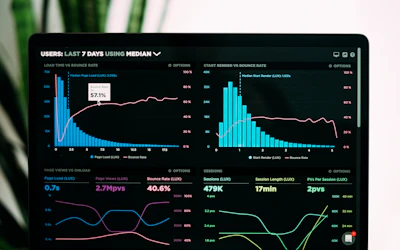
I turn the data your business already has - sales exports, ERP tables, marketing platform downloads, inventory sheets - into KPI dashboards in Power BI, Tableau, or Looker Studio that managers actually open every morning. For companies in Dubai, Abu Dhabi, and Sharjah, the deliverable is concrete: AED revenue and margin views by product, branch, and month; sales and marketing funnels; inventory ageing and stock-out risk - each metric defined once, agreed with you, and calculated the same way everywhere.
Behind the visuals sits proper SQL analysis on your existing database or files: I write the queries, validate totals against your finance numbers, and document every metric definition so 'net revenue' means one thing across the company. Dashboards refresh on a schedule - daily or hourly - so nobody emails spreadsheets around, and each report includes an executive summary view: the five numbers an owner or GM needs on a phone screen, not forty charts.
Because dashboards die when nobody in-house can maintain them, every engagement for free-zone and mainland SMEs ends with training: a recorded session teaching your staff to filter, drill down, and add simple visuals themselves, plus a metric dictionary they can extend.
A working session with the decision-makers: which numbers drive the business, who views them, and on what device.
I connect to your data, write the SQL, and reconcile against existing reports until you confirm the figures are right.
Dashboards are built in your chosen tool with one round of feedback, then refresh schedules are switched on.
Handover session with your staff, recording included, so the dashboards keep living after the project ends.
| With me | Typical agency | |
|---|---|---|
| Figures reconciled with finance before launch | ||
| In-house staff trained to self-serve | Pay-per-change retainer | |
| Metric definitions documented | In someone's head | |
| First dashboard in your hands | Within 7 days | 4–6 weeks |
Typical delivery is 7 days from order confirmation. Nadeem Khan will share an exact timeline when you make first contact.
Use the WhatsApp, phone, or email button on this page to reach out directly. Nadbook is a contact-first marketplace - there are no platform fees and the seller handles delivery directly.
No reviews yet. Worked with this seller? Be the first to leave one.
Other vetted UAE specialists with similar work.